Notion Database Views
Business impact
Database views reached 3M+ daily active users within 6 months and became Notion's most-used feature, surpassing documents. Workspace retention improved by 45% among teams that adopted views. Enterprise adoption accelerated, with database views cited as the deciding factor in 60% of enterprise deal post-mortems. Featured in Notion's 2023 product keynote as the flagship capability.
Turning a note-taking tool into a workspace platform
Notion had built a loyal following around its flexible block-based editor, but the platform was losing users to specialized tools whenever workflows became data-heavy. Project trackers, CRMs, content calendars, inventory systems — anything that required structured data management sent people to Airtable or Monday.com, even though those users preferred Notion for everything else.
The gap wasn't capability. Notion's databases could store the data. The problem was presentation — users needed different ways to see the same information depending on their context. A project manager wants a timeline view in the morning and a kanban board in standup. A content team wants a calendar for scheduling and a gallery for visual review. I led the design of a view system that would make all of this possible from a single database.
Context
We analyzed usage patterns across 10K+ workspaces and conducted deep-dive interviews with 30 power users spanning startups, agencies, and enterprise teams. The findings were revealing.
78% of power users had already built workarounds using linked databases and filtered views to simulate different visualizations. They were essentially hacking the product to get what they needed. Users naturally categorized their data into three mental models: status-driven workflows like kanban, time-driven workflows like timelines and calendars, and browse-driven workflows like galleries. The number one feature request was the ability to switch between these perspectives without duplicating data or losing their filters.
Designing the view system
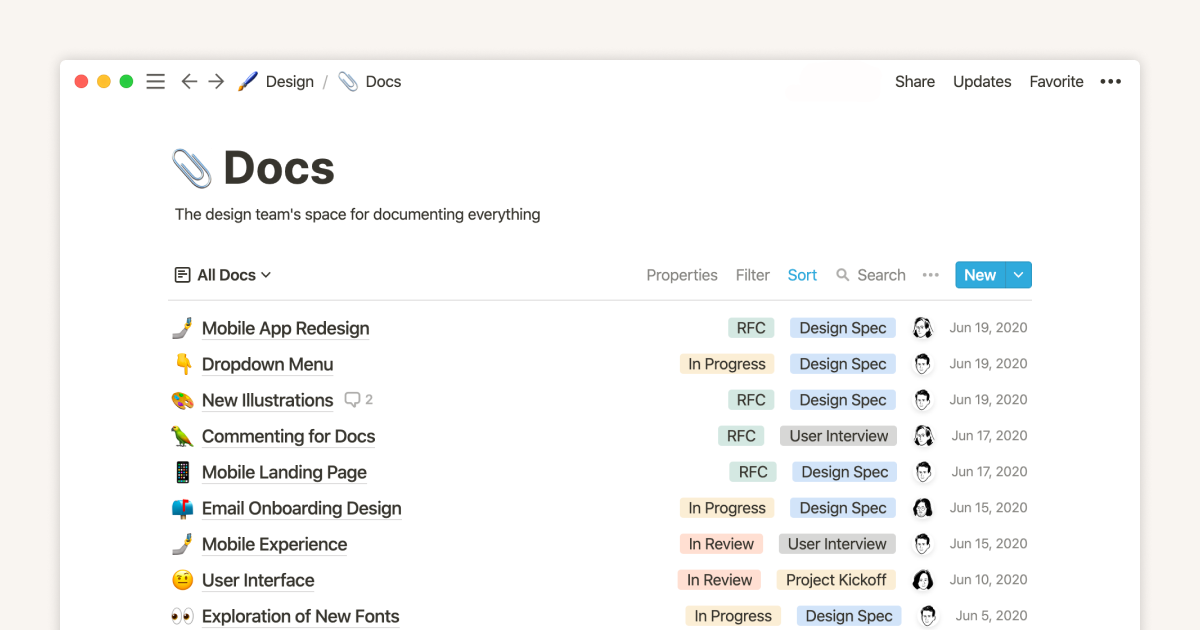
I designed a system that lets users switch between five layout types — table, board, timeline, calendar, and gallery — with a single click while keeping a shared underlying data model. Each view type optimizes for a specific way of thinking about data. Table gives you spreadsheet-like power with inline editing, sorting, and formulas. Board provides kanban with drag-and-drop and swimlanes by any property. Timeline offers Gantt-style visualization with dependency arrows and zoom levels. Calendar supports month, week, and day layouts with multi-day spanning. Gallery creates a visual card grid with customizable covers.
The crucial design decision was making views feel like perspectives on the same data rather than separate copies. When you move a card on the board view, the timeline updates. When you change a date on the calendar, the table reflects it. This mental model — one database, many lenses — became the foundation of the entire feature.
Solving the filter problem
The hardest interaction design challenge was building a filter and sort system that felt intuitive across all five view types. Filtering a table is straightforward, but what does it mean to filter a timeline? Or a gallery? Each view interprets the same filter differently, and users needed to understand that intuitively without reading documentation.
I created a unified toolbar that adapts its controls based on the active view while keeping the interaction model consistent. Saved views let users create named configurations — specific combinations of filters, sorts, and visible properties — that persist as tabs. This solved the power user need for multiple perspectives on the same dataset without the complexity of maintaining separate databases.
Final design
The shipped system transformed how teams use Notion. Instead of treating it as a document tool that can do databases, teams now build their entire operational workflow in Notion. A single database powers their project planning on the timeline, daily standups on the board, scheduling on the calendar, and portfolio review in the gallery. The feature turned Notion from a tool people liked into a platform they couldn't work without.